SMS opt-in
How text message opt-in works
PolicyLifeline Appointment Notifications: who gets texts, and how they agree to them.
Texts from PolicyLifeline are sent only to people who ask for them on our website form. Here is exactly how a visitor opts in.
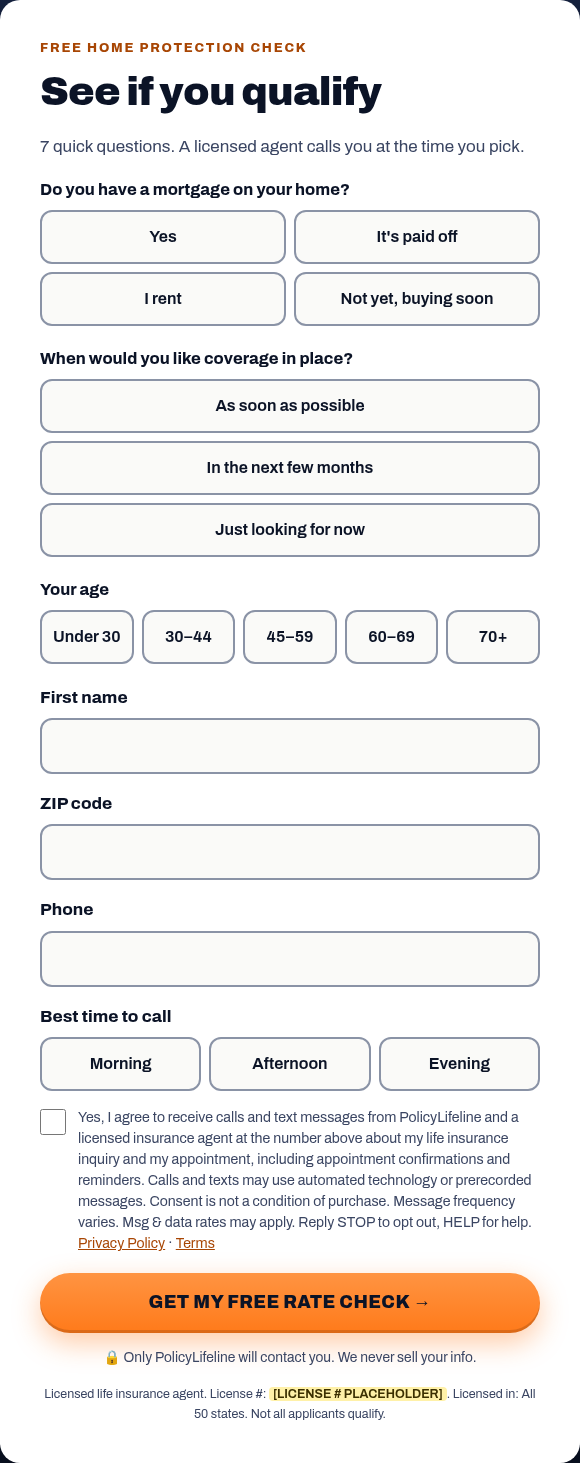
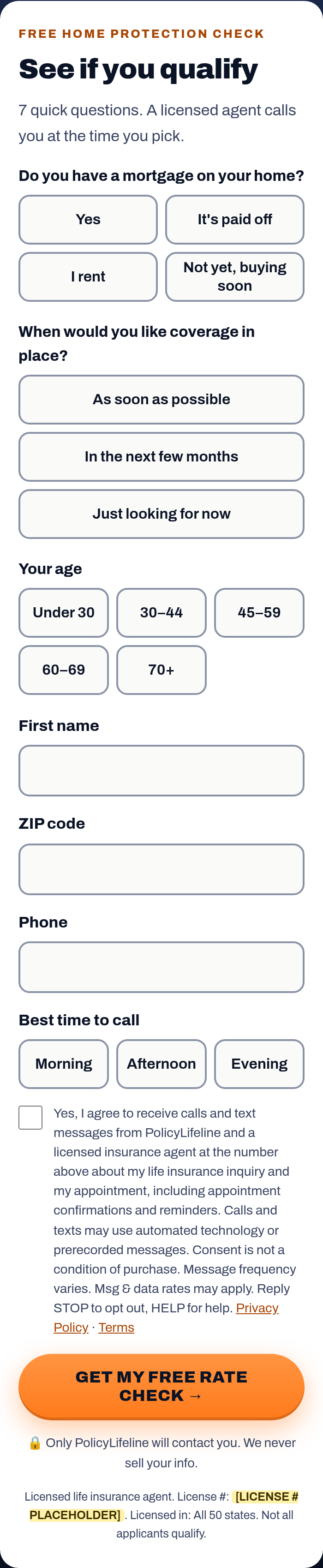
- The visitor fills out the form on policylifeline.com: name, ZIP code, phone number, and a few short questions.
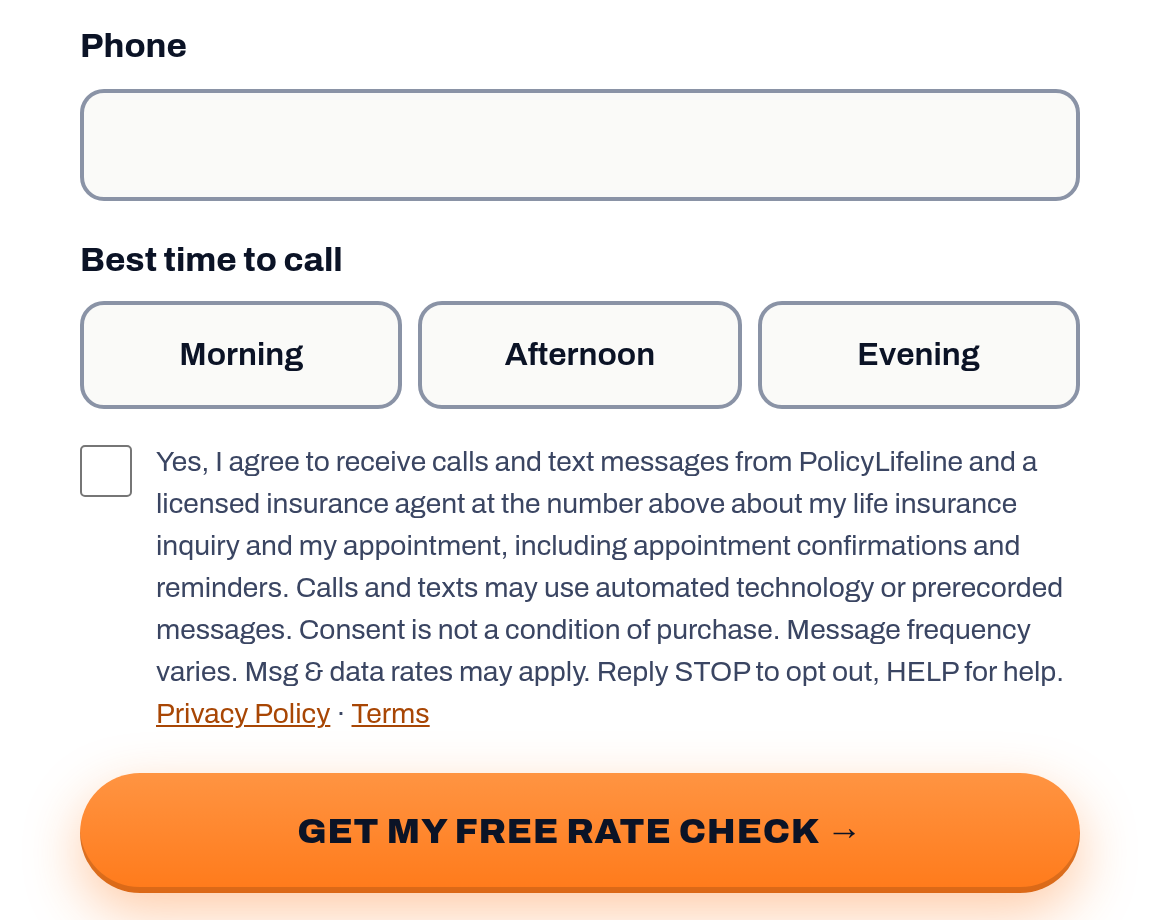
- The visitor checks the consent box. It is not pre-checked, and the form can't be sent without it. The box says:
Yes, I agree to receive calls and text messages from PolicyLifeline and a licensed insurance agent at the number above about my life insurance inquiry and my appointment, including appointment confirmations and reminders. Calls and texts may use automated technology or prerecorded messages. Consent is not a condition of purchase. Message frequency varies. Msg & data rates may apply. Reply STOP to opt out, HELP for help. Privacy Policy · Terms
- The visitor books a time for a Zoom meeting with a licensed insurance agent, online right after the form or with the agent by phone.
- Then messages are sent: an appointment confirmation right after booking and reminders before the meeting (about 3 messages per booking). Reply STOP to opt out, HELP for help.
The consent box (close-up)
The full form (desktop)
The same form on a phone
Sample message
PolicyLifeline: You're booked for a Zoom meeting with a licensed agent on Friday, October 30, 2026 5:30 PM (CDT). Join: https://us05web.zoom.us/j/… Need a new time? Reply to this text. Reply STOP to opt out.
Program: PolicyLifeline Appointment Notifications. Message frequency varies. Message and data rates may apply. Reply STOP to cancel, HELP for help. Carriers are not liable for delayed or undelivered messages. Consent is not a condition of purchase. Full details: SMS Terms and Privacy Policy. Questions: acastelazofinancial@gmail.com.